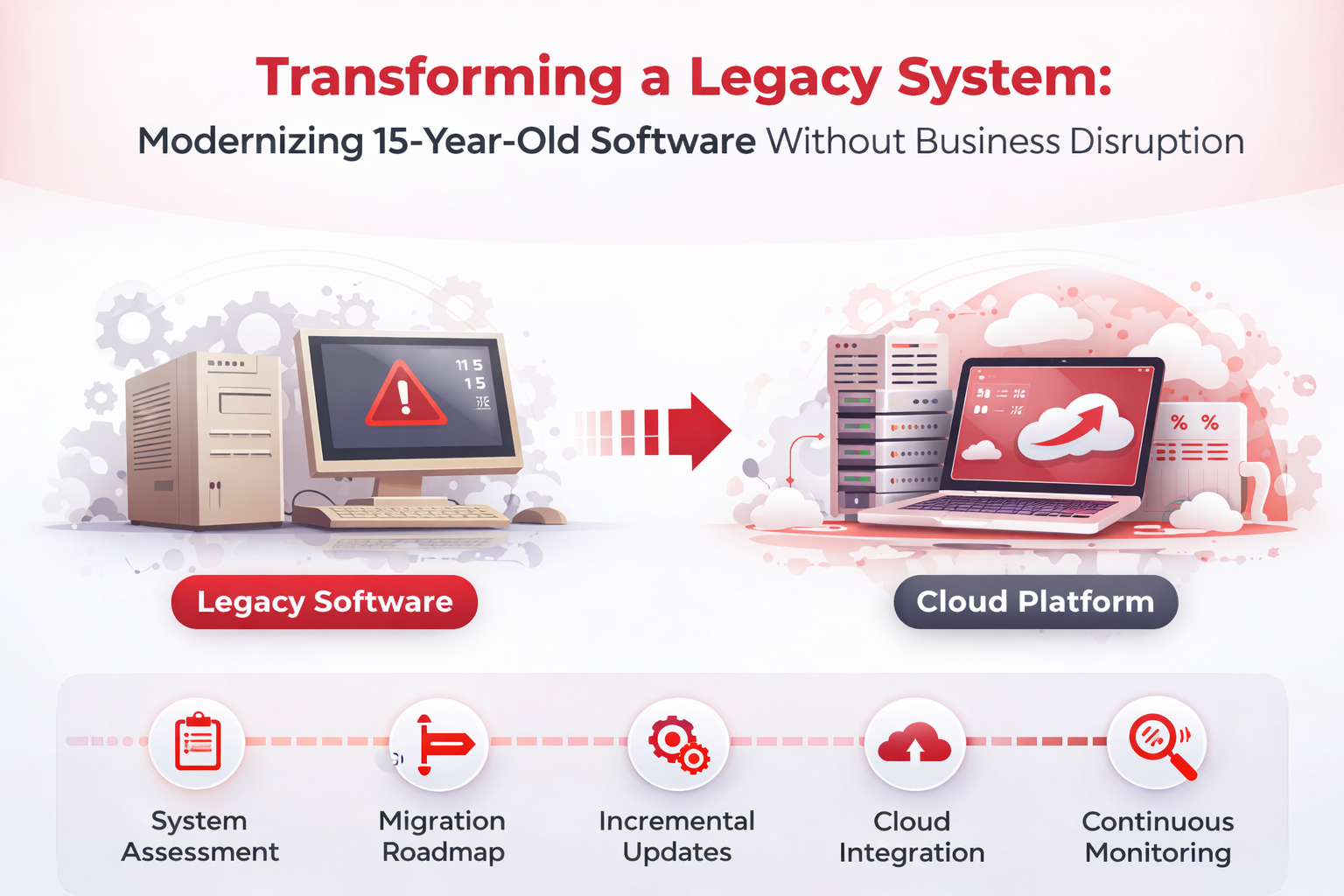
Many businesses today still rely on software systems that were built 10 to 20 years ago. These legacy systems often power critical operations such as inventory management, accounting, healthcare records, logistics platforms, and enterprise workflows.
While these systems may still function, they frequently suffer from major problems such as:
- Slow performance
- Security vulnerabilities
- Limited scalability
- Lack of integration with modern tools
- Poor user experience
- High maintenance costs
Completely replacing these systems overnight is rarely possible because businesses depend on them daily. A sudden replacement could disrupt operations, impact customers, and create significant financial risk.
That is why organizations in 2026 are focusing on legacy system modernization — a strategic approach that upgrades old systems without interrupting ongoing business operations.
This guide explains how businesses can successfully modernize 15-year-old software systems while maintaining stability and productivity.
What Is a Legacy System?
A legacy system refers to software that has been in use for many years and is built using outdated technologies, frameworks, or architectures.
Common characteristics of legacy systems include:
- Monolithic architecture
- Outdated programming languages
- Limited API support
- Difficult maintenance
- Lack of documentation
- Compatibility issues with modern infrastructure
Examples of legacy technologies often include:
- Old Java frameworks
- Classic ASP systems
- Early PHP applications
- Desktop-only enterprise software
- On-premise database systems without cloud capabilities
Despite these limitations, legacy systems often remain essential because they contain valuable business logic and historical data.
Why Modernizing Legacy Systems Is Important in 2026
Businesses that fail to modernize their software risk falling behind competitors.
Modernization enables companies to:
Improve Performance
Modern systems process data faster and handle large user loads efficiently.
Strengthen Security
Older systems may contain vulnerabilities that expose businesses to cyber attacks.
Enable Integration
Modern platforms integrate easily with APIs, AI tools, analytics platforms, and cloud services.
Support Business Growth
Scalable infrastructure allows companies to expand without rebuilding systems repeatedly.
Improve User Experience
Modern interfaces significantly improve productivity for employees and customers.
Challenges of Replacing Legacy Software
Before modernization begins, companies must understand the risks involved.
1 Business Dependency
Legacy systems often run core business processes, meaning any downtime can impact revenue and operations.
2 Complex Architecture
Older systems may have tightly coupled components that make modifications difficult.
3 Lack of Documentation
Many legacy platforms were developed years ago by teams that may no longer be available.
4 Data Migration Risks
Migrating large volumes of historical data must be handled carefully to prevent loss or corruption.
5 Integration Dependencies
Legacy systems may be connected with multiple third-party tools, internal databases, or external services.
Because of these challenges, modernization requires a carefully planned approach rather than a full replacement.
Key Strategies for Modernizing Legacy Systems
Businesses can modernize legacy software using several proven strategies.
1 Rehosting (Lift and Shift)
Rehosting involves moving the existing system to a modern infrastructure such as cloud platforms without changing the core application.
Example:
Moving an on-premise application to:
- AWS
- Google Cloud
- Azure
Benefits include:
- Improved scalability
- Reduced hardware costs
- Better infrastructure reliability
However, the underlying software architecture remains unchanged.
2 Refactoring the Codebase
Refactoring means improving the existing code structure without changing functionality.
This includes:
- Optimizing inefficient code
- Removing redundant modules
- Improving database queries
- Cleaning outdated dependencies
Refactoring helps increase performance and maintainability.
3 Re-architecting the System
This approach involves redesigning the system architecture.
Instead of a monolithic structure, businesses may adopt:
- Microservices architecture
- API-first architecture
- Cloud-native infrastructure
This improves scalability, maintainability, and integration capabilities.
4 Incremental Modernization
Rather than replacing the entire system at once, organizations modernize it module by module.
For example:
Phase 1 – Upgrade authentication system
Phase 2 – Replace reporting system
Phase 3 – Introduce cloud database
Phase 4 – Implement new user interface
This method ensures that operations continue smoothly during the transition.
5 Building a Parallel System
Another approach is building a modern system alongside the legacy platform.
During this process:
- New features are developed in the modern system
- Legacy modules are gradually migrated
- Data synchronization ensures continuity
Once the new system is stable, the old platform can be retired.
Technologies Used in Modern Legacy Transformation
Modernization projects often include technologies such as:
Cloud Infrastructure
Cloud services provide scalable computing resources.
Containerization
Tools like Docker allow applications to run consistently across environments.
API Integration
APIs connect legacy systems with modern services.
Microservices Architecture
Large applications are broken into smaller independent services.
AI and Automation
Machine learning helps optimize workflows and analytics.
Step-by-Step Legacy Modernization Process
A structured process helps reduce risks.
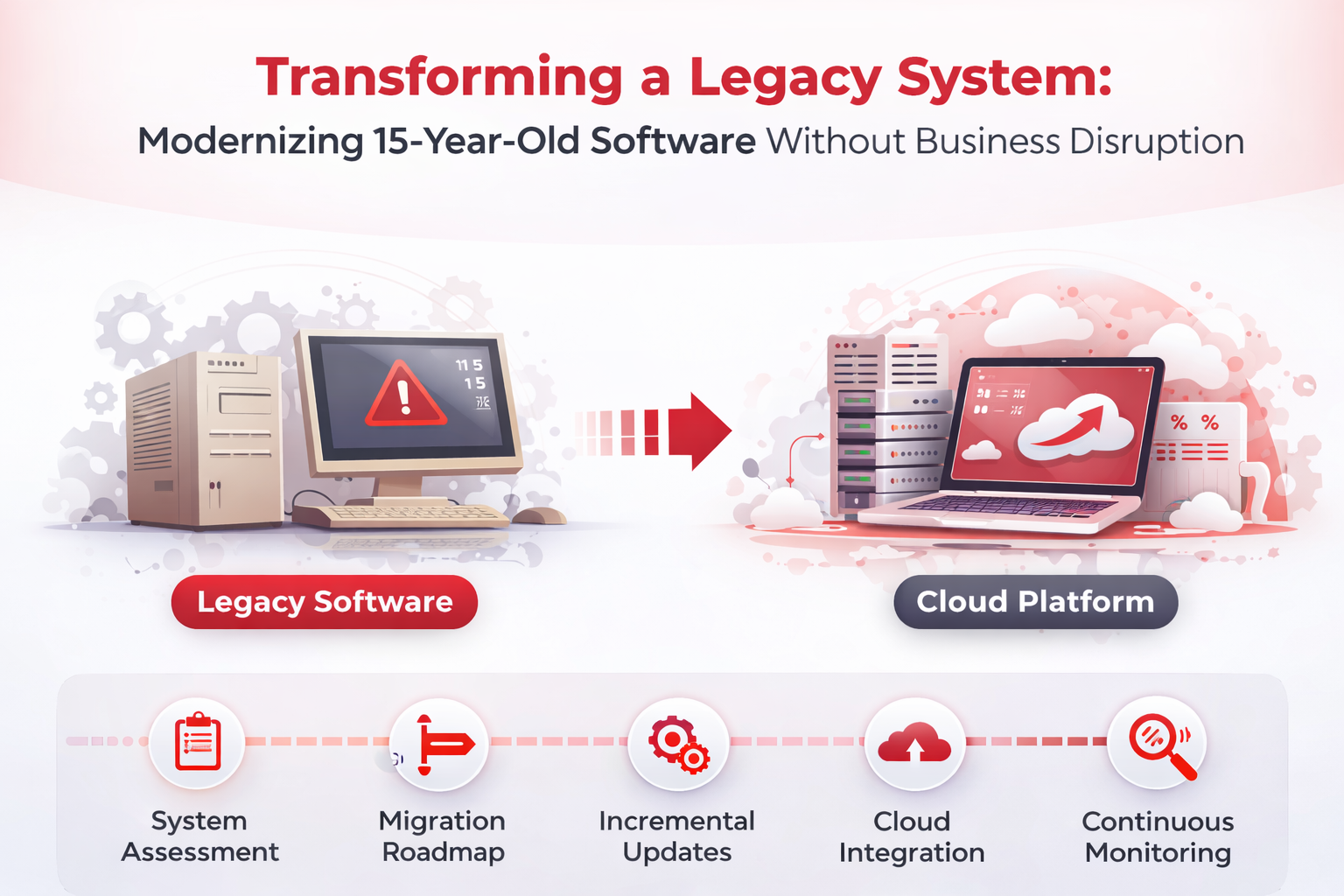
Step 1: System Assessment
Businesses must analyze:
- system architecture
- dependencies
- security vulnerabilities
- performance issues
- integration points
This evaluation determines the best modernization strategy.
Step 2: Define Business Goals
Modernization should align with business objectives such as:
- reducing operational costs
- improving scalability
- enabling automation
- enhancing customer experience
Step 3: Create a Migration Roadmap
A clear roadmap outlines:
- modernization phases
- timelines
- technology stack
- migration priorities
Step 4: Build and Test New Components
New modules should be developed and tested in parallel to ensure reliability.
Step 5: Gradual Migration
Instead of a full switch, features are gradually transferred to the modern system.
This approach minimizes downtime.
Step 6: Continuous Monitoring
Performance and stability should be monitored throughout the transition.
Real Business Benefits of Legacy Modernization
Companies that modernize legacy systems often experience:
- 40–60 percent faster system performance
- lower infrastructure costs
- improved security compliance
- better integration with modern tools
- higher productivity for employees
In many cases modernization also enables companies to introduce AI-driven automation and analytics capabilities.
When Should Businesses Modernize Legacy Software?
Signs that your system needs modernization include:
- frequent system crashes
- slow application performance
- difficulty adding new features
- security compliance concerns
- increasing maintenance costs
- inability to integrate with modern tools
If these issues persist, modernization becomes essential.
Best Practices for Legacy System Modernization
Successful modernization projects follow several best practices.
Start With Critical Modules
Upgrade the most important components first.
Maintain Data Integrity
Ensure data is backed up and verified during migration.
Use Scalable Architecture
Modern systems should support long-term growth.
Test Extensively
Testing ensures stability before deployment.
Train Employees
Users must understand new system features and workflows.
Conclusion
Legacy systems are not necessarily obsolete, but they often limit a company’s ability to innovate and scale.
Modernizing a 15-year-old software platform requires careful planning, strategic implementation, and gradual transformation.
By adopting approaches such as incremental modernization, cloud migration, and microservices architecture, businesses can upgrade their technology without interrupting daily operations.
Organizations that invest in modernization gain a significant advantage through improved performance, stronger security, and the ability to adopt emerging technologies like AI and automation.
Frequently Asked Questions (FAQs)
1. What is legacy software modernization?
Legacy software modernization is the process of upgrading outdated systems to modern technologies while preserving existing business functionality and data.
2. How long does legacy system modernization take?
The timeline varies depending on system complexity. Some projects take 3 to 6 months, while large enterprise transformations may take 1 to 2 years.
3. Is it better to replace or modernize legacy software?
In most cases modernization is safer because it allows businesses to upgrade systems gradually without disrupting operations.
4. What technologies are used to modernize legacy systems?
Common technologies include:
- cloud platforms
- microservices architecture
- APIs
- containerization
- modern programming frameworks
5. How much does legacy modernization cost?
Costs depend on system size, architecture complexity, and modernization strategy. However, modernization often reduces long-term operational costs.
6. Can legacy systems integrate with modern software?
Yes. With APIs and middleware, legacy systems can connect with modern applications, cloud services, and AI platforms.
7. What are the biggest risks in legacy modernization?
The biggest risks include:
- data loss
- downtime during migration
- compatibility issues
- poor planning
These risks can be minimized through careful strategy and phased implementation.